
For Claude, Claude Desktop and Claude Code
Build your website with Claude.
Lacuno is a visual website builder that Claude works in directly. Open the editor inside a Claude chat or connect Claude Code, then watch Claude design pages, write content and translate your site on a canvas you can edit too.
- Hosted in Germany
- Open source
- No AI fees. Use your own Claude account.
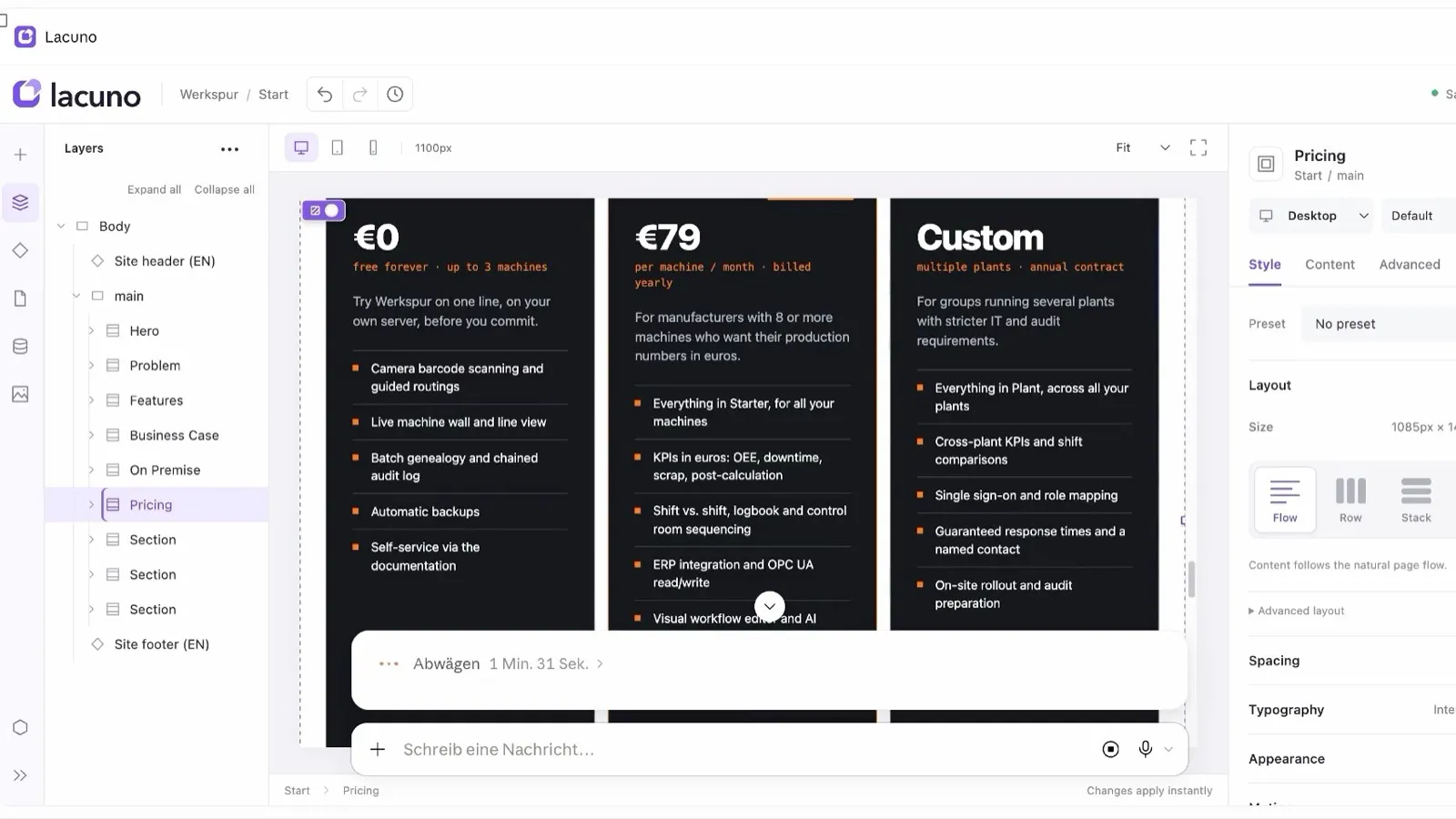
“Add a pricing section with three plans.”
Typed in Claude. Built on your canvas.
The Lacuno editor, open right inside a Claude chat.
Three ways to start ↓Wherever you use Claude
Three ways to start.One shared canvas.
Claude in the browser
Click Open in Claude and the editor opens inside your chat. Claude sees what you select and builds next to you.
Claude Desktop
The Add to Claude link fills in the connector for you. Confirm once and every site in your workspace is within reach.
Claude Code
Paste one line into your terminal. It installs the Lacuno plugin and signs you in, and the canvas updates as Claude works.
What Claude does in Lacuno
More than a code generator.A colleague on your site.
Builds pages and sections
Layouts, type, colours and spacing, using your design tokens and components.
Knows what “this” means
Select a heading and say “make this bolder”. Claude sees your selection in the editor.
Checks its own work
Claude takes screenshots on desktop and phone and fixes what looks off.
Writes your content
Blog posts and other CMS entries, each published as its own page.
Translates your site
Texts, URLs and SEO fields, following your glossary and your tone.
Reads your numbers
“How did my site do this week?” Claude reads your visitor statistics too.
Claude Code or Lacuno?
Claude writes great code.Your site needs more.
Claude Code can build a website from scratch, and for apps that is the right tool. For a site you and others keep editing, Lacuno gives Claude a real editor to work in.
| Claude Code on its own | Claude in Lacuno | |
|---|---|---|
| Where you see changes | In files, once you run a dev server | Live on a visual canvas, while Claude works |
| Fixing details by hand | In the code | Click it and change it in the editor |
| Content | Markdown or code files | CMS collections anyone on your team can edit |
| Hosting | You set up hosting and deploys | One click to publish, or export plain HTML |
| Languages | You build the setup yourself | Translations, translated URLs and hreflang built in |
| Best for | Apps and custom code you want to own | Marketing sites, portfolios and blogs |
See it in one minute
You fix a detail.Claude builds the rest.
A real site: fixed by Claude in the editor, then a pricing section from one sentence.
Watch on YouTube ↗Questions about building with Claude.
Can Claude build a whole website?
Yes. In Lacuno, Claude creates pages, sections, styles and content on a real site, and you see every change on the canvas. Stop it at any point, fix something by hand, and let it carry on.
How do I connect Claude to Lacuno?
In the editor, open Connect your AI. For Claude in the browser and Claude Desktop, the Add to Claude link fills in the connector for you to confirm. For Claude Code, copy the one line shown there into your terminal.
Why not just let Claude Code write the site?
You can, and Claude Code is very good at it. But then you host, maintain and edit code yourself. With Lacuno, the result is a site anyone can edit visually, with CMS, languages and hosting built in, and you can still export plain HTML.
Do I pay for AI through Lacuno?
No. Lacuno doesn't charge for AI. Claude works through your own Claude account.
Can I use other AI apps too?
Yes. ChatGPT, Cursor, Codex and any other app that supports MCP connect the same way.
More about the MCP website builder →Claude is a trademark of Anthropic. Lacuno is an independent product and not affiliated with Anthropic.
Give Claude a canvas.
Open the editor in your browser and connect Claude in a minute. Sign up when you want to publish.