
19 October 2026 · Showcase
A house, built as you scroll
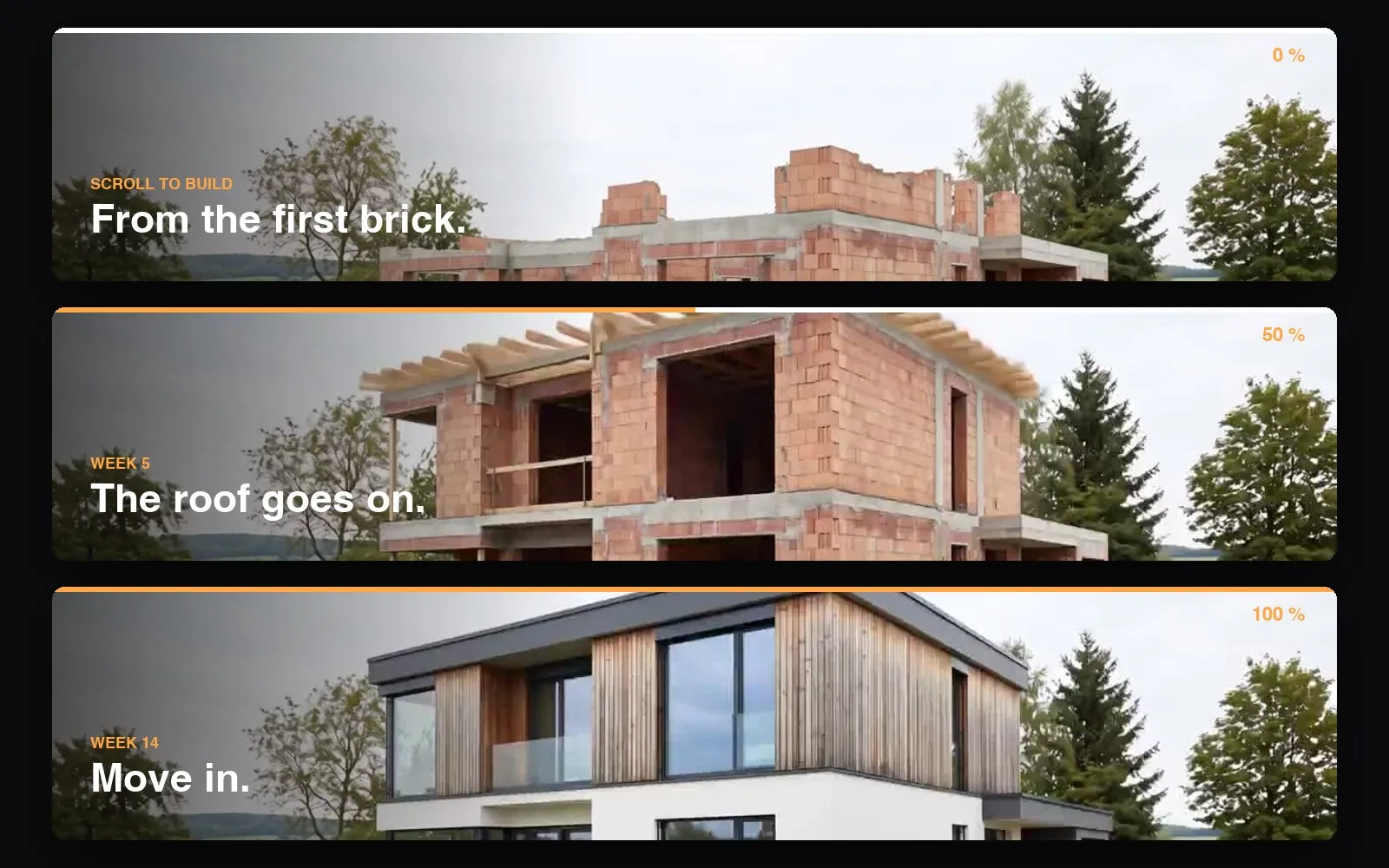
A seven-second construction clip is the whole home page of a builder's website. Scroll, and the house goes up. Scroll back, and it comes down again. Built in Lacuno with one Scroll video and six captions, no code.
Live demo · scroll ↓
Scroll to build
From the first brick.
Clay brick walls rise on the slab. Every opening is already where a window will be.
Week 5
A second storey and a roof.
Concrete ring beams carry the upper floor. Timber rafters span the house.
Week 8
Larch and glass.
Untreated larch wraps the upper floor. Triple-glazed windows fill every opening.
Week 14
Move in.
White render, a dark roof edge, turf and a path. The keys change hands.
Meadow House is made up, and the clip is an AI-generated time-lapse. Everything above is one Scroll video block in Lacuno: the clip follows the scrollbar, and the captions take turns. Visitors who prefer reduced motion see a still of the clip with all captions on it.
Scroll video
The clip follows the scrollbar
Insert a Scroll video, drop in a clip and write a caption for each step. Visitors move through the clip at their own pace, forwards and back. It never autoplays, has no sound and shows no player controls.
Short clips work best. This one is seven seconds and six megabytes. A drone shot of your last project, a time-lapse from the site camera or a product being assembled all fit.
Built in one chat
From a clip to a website in an afternoon
This demo was made with Claude through MCP. It prepared the clip for scrubbing, uploaded it and built the story, the captions and the finished-house section, live on the canvas. Two more sentences moved the captions over the video and set it full screen.
Everything it built is ordinary Lacuno: a Scroll video block, classes and text. Change a caption or swap the clip by hand any time.
Build a scroll website from this construction clip: the house goes up as I scroll.
Claude prepares the clip, uploads it and builds the page while you watch the canvas.
✓ Done
Who it is for
Websites for businesses that build things
Construction companies
Show a project going up instead of describing it. The time-lapse from your site camera is already the home page.
Architects and developers
Walk visitors from the rendering to the finished building, one scroll at a time, with the facts of the project as captions.
Carpenters, roofers, timber builders
Let the craft show. A roof truss going up says more than a list of services.
Landscapers and garden designers
From bare soil to lawn, hedge and terrace. Before and after in one motion.
Workshops and manufacturers
A product assembled as the visitor scrolls, part by part, with each part explained.
Renovators and interior designers
Strip a room back to the brick and build it up again, finish by finish.
The rest of the site
What a builder's website needs besides the show
Projects as a collection
Every project is an entry with photos, place and year. One template page shows them all, and a new project is a form, not a new page.
Enquiries by email
A contact or quote form that lands in your inbox, with spam protection built in and nothing to configure.
Your domain, fast, in two languages
Static HTML on your own domain, visitor analytics without a cookie banner, and a second language when you work across a border.
Start with your own clip
Scroll video is in every plan, including Free. Bring a drone shot, a time-lapse or a video from your phone.